Most nonprofit leaders assume the answer is “somewhere in the middle.” In our experience across US nonprofits, the honest answer is closer to “we don’t actually know.”
This guide gives you a 15-minute check you can run this week, using nothing but a browser and your admin credentials. If any of the 8 items below come back as gaps, they’re the same gaps that show up in nearly every nonprofit breach we’ve helped clean up.
Why This Matters More in 2026
Attacks on nonprofits jumped 241% between 2024 and 2025 (Cloudflare Project Galileo, 2025). Nonprofits are now the second most targeted sector globally (Okta Nonprofits at Work Report, 2025). Meanwhile, federal cybersecurity funding for the nonprofit sector has been reduced, and cyber insurance premiums are up sharply for organizations without basic controls in place.
But the threat isn’t the point of this guide. The point is what you can do about it in the next 15 minutes, without needing budget approval, a board conversation, or an IT hire.
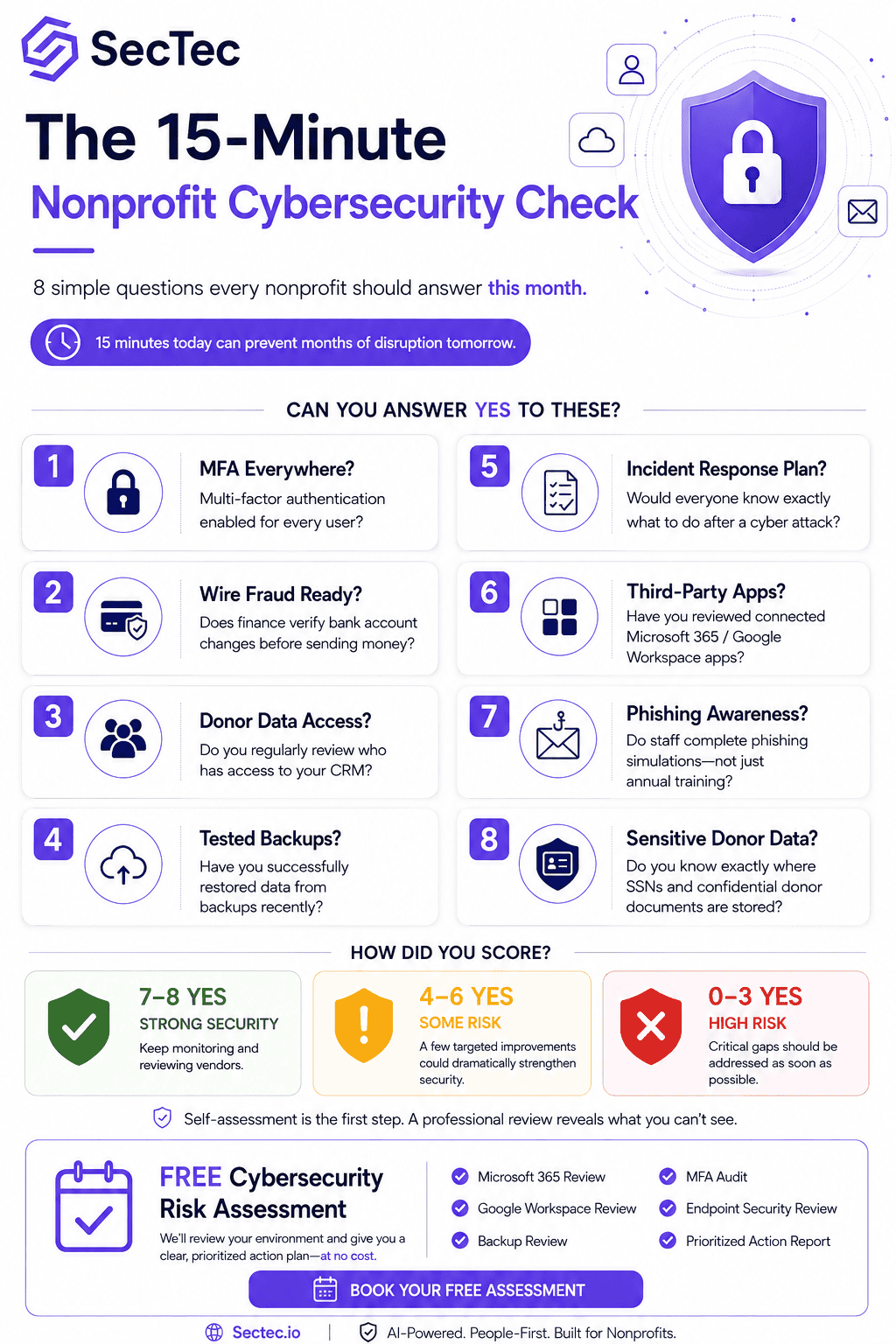
The 15-Minute Nonprofit Cybersecurity Check
-
Do you have MFA on every account?
Log into your Microsoft 365 or Google Workspace admin center. Check whether multi-factor authentication is enabled for every user, including executives, finance staff, and any shared accounts.
Why it matters: 88% of web application attacks involve stolen credentials (Verizon 2025 DBIR). MFA stops the vast majority of them.
Common gap: MFA is on for regular staff but disabled or “optional” for the ED, finance director, or a legacy shared inbox like info@ or donations@.
-
Does your finance team know what a wire transfer scam looks like?
Ask your bookkeeper or finance lead this exact question: “If our CEO emailed you right now asking to change a vendor’s bank account details, what would you do?”
Why it matters: Business email compromise costs nonprofits millions each year, and the average successful scam is $50,000 to $200,000 diverted in a single wire.
Common gap: Verbal confirmation policies exist on paper but not in practice, especially when the ED is traveling.
-
When did you last review who has access to your donor database?
Open your CRM (Salesforce NPSP, Bloomerang, Little Green Light, whatever you use) and pull the user list.
Why it matters: Former employees, board members who rotated off, volunteers who helped once, and past consultants often retain access years after they should.
Common gap: Access reviews haven’t happened since the CRM was first set up.
-
Are your backups actually being tested?
Backups you’ve never restored may not actually work. Ask whoever manages your IT: “When was the last time we restored a file from backup to prove it works?”
Why it matters: Ransomware operators specifically target backup systems now. Untested backups are a false comfort.
Common gap: Backups run automatically, but nobody has ever tested a restore.
-
Do you have a written incident response plan?
Not a mental model. Not “we’d call IT.” A written document naming who does what if you get hit tomorrow.
Why it matters: In the first hour of a breach, decisions get made that shape the next six months. Written plans reduce chaos and cost.
Common gap: No plan exists, or one exists but hasn’t been updated since 2022.
-
Have you audited what third-party tools have access to your systems?
Log into Microsoft 365 or Google Workspace admin. Go to the “Connected apps” or “Enterprise applications” section. Look at what’s connected.
Why it matters: Every connected app is a potential access point. Old tools, tools installed by staff who’ve left, or tools trialed and never removed all create hidden exposure.
Common gap: Dozens of apps connected, most unused, none reviewed in years.
-
Are staff trained on phishing beyond an annual video?
Ask your team: “When did we last run a phishing simulation?”
Why it matters: 68% of breaches involve a human element (Verizon 2024 DBIR). Annual training on its own doesn’t build the reflexes needed to catch modern AI-written phishing.
Common gap: Training happens once at hire, then never again.
-
Do you know where donor Social Security numbers or major gift documentation live?
75% of nonprofits collect Social Security numbers (UC Berkeley CLTC CyberCAN Report, 2024). Many collect them for planned giving, major gift acknowledgments, or 1099 reporting, and don’t track where they end up.
Why it matters: Social Security numbers are among the most valuable data types on the dark web. A breach involving them triggers state notification laws and can end donor relationships permanently.
Common gap: SSNs sit in email attachments, personal folders, or spreadsheets on someone’s laptop.
How to Score Yourself
Count how many of the 8 items your organization can honestly say “yes, we’re strong here” to:
- 7-8 yes: You’re in the protected 30% of nonprofits. Focus on continuous monitoring and vendor risk.
- 4-6 yes: You’re in the vulnerable middle. Two or three targeted fixes could move you significantly.
- 0-3 yes: You’re in the exposed majority. The good news is that most of these fixes cost little to nothing. What you need is a partner who can help you sequence them.
What SecTec Offers Center for Nonprofit Advancement Members
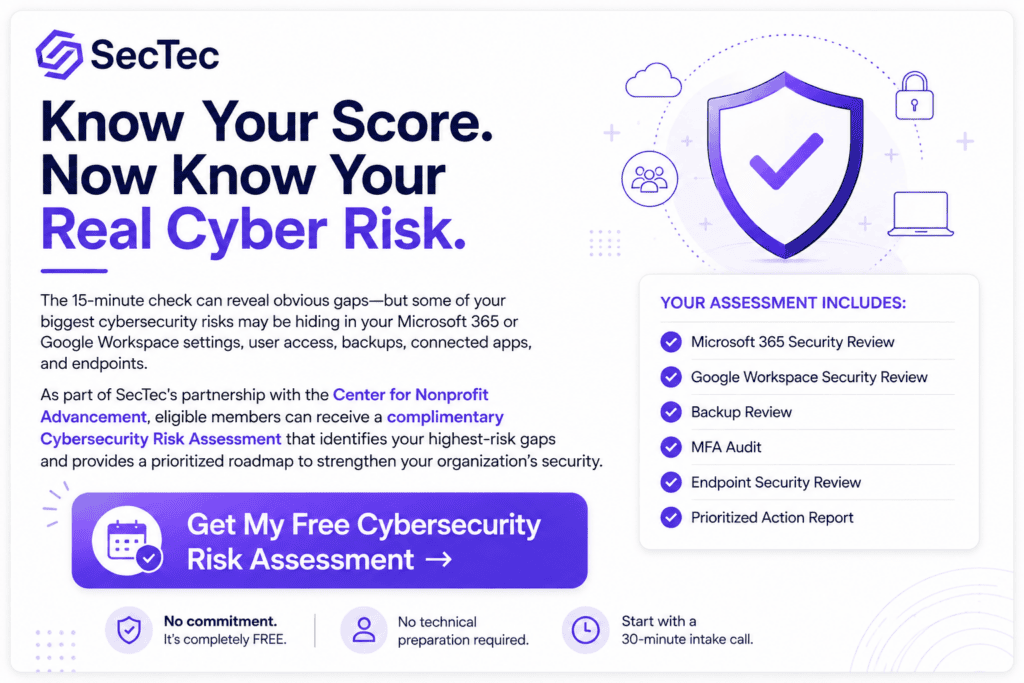
We’re offering every Center for Nonprofit Advancement member a complimentary Cybersecurity Risk Assessment, exclusively as part of our partnership with the Center.
What the Assessment Covers
Over 3 to 4 hours across a 3-week engagement, SecTec’s team will:
- Review your Microsoft 365 or Google Workspace security configuration
- Audit user access, MFA coverage, and admin permissions
- Identify third-party integrations and their access levels
- Review your backup and recovery posture
- Assess your endpoint security (laptops, mobile devices, workstations)
- Evaluate incident response readiness
- Document donor data flow and identify exposure points
- Deliver a prioritized report with specific findings and recommendations
What You Don’t Need to Do First
You don’t need a paid consultation to start. You don’t need to commit to any SecTec service. You don’t need to be technical. The assessment starts with a 30-minute intake call, and SecTec handles the technical review from there.
What You Get at the End
A written report showing:
- What’s working well in your current setup
- Where the highest-risk gaps are
- What each gap would cost to fix
- Which 3 fixes will move the needle most in the next 30 days
Whether you engage SecTec for the fixes or take the report to your existing IT provider, you leave with a real answer to a question you probably haven’t been able to answer before: how secure are we, actually?
How to Book
Book your free Cybersecurity Risk Assessment for Offers Center for Nonprofit Advancement members: SecTec.io/services/free-risk-assessment/
Or reach out directly: Email Jay Saeed at jsaeed@sectec.io with subject line “CNA Member Assessment” and we’ll book a 30-minute intake call within 48 hours.
Our Calendly Booking Link: https://calendly.com/sectec/30min
About SecTec
SecTec is a managed security services provider based in McLean, Virginia, serving nonprofits, medical clinics, community health organizations, and faith-based organizations across the United States. We are recognized as an Industry Expert in IT and Cybersecurity by the Center for Nonprofit Advancement. Our team holds CISSP, CEH, CISM, and CompTIA Security+ certifications and partners with Microsoft, Google Workspace, SentinelOne, NinjaOne, Proofpoint, and KnowBe4.
We believe nonprofit cybersecurity should not be a mystery. If you have questions about anything in this guide, or want a second opinion on your current setup, we’re here to help.